Cydia Download for iOS 27: Jailbreak Status & Options
Check Cydia and jailbreak options for iOS 27.1 on iPhone Duo, plus iOS 27.0.1 and iPadOS 27.0.1 on other supported devices. Compare browser-based resources, IPA sideloading, and jailbreak package managers before choosing your setup.
CydiaFree provides a browser-based catalogue of customization resources and guides. Opening the web app or adding its Home Screen icon does not jailbreak your device or install the original Cydia package manager.
Open CydiaFree for iOS 27 →
Current iOS 27 Cydia and Jailbreak Status
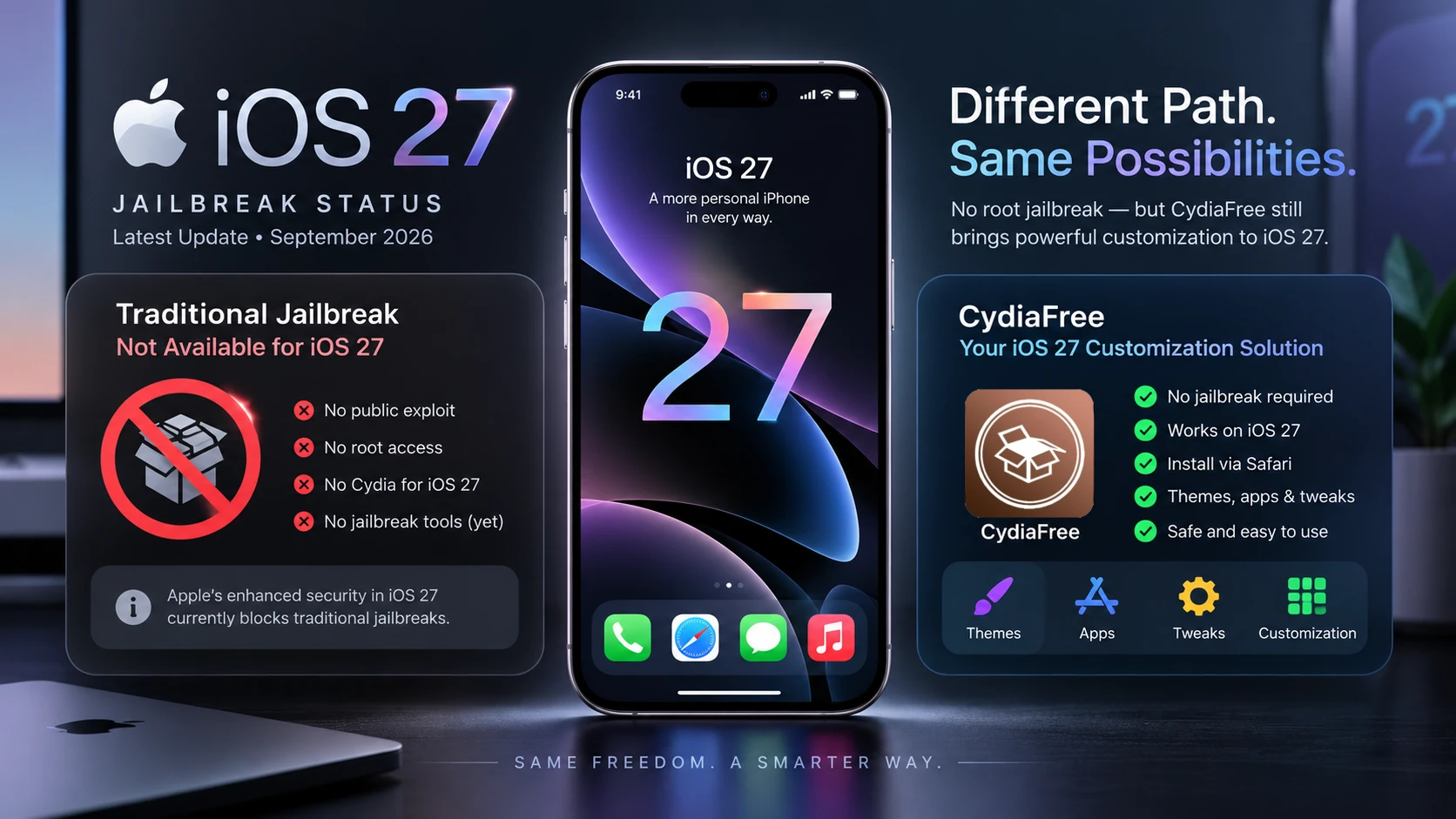
As of October 25, 2026, Apple lists iOS 27.1 for iPhone Duo only. Other supported iPhones and iPads remain on iOS 27.0.1 and iPadOS 27.0.1. Apple also lists iOS and iPadOS 27.2 RC as prerelease software.
The reviewed Dopamine and palera1n documentation does not list iOS 27 support. These findings describe the projects reviewed for this guide; they do not assess every experimental research project. Original Cydia requires a compatible jailbreak environment.
| iOS / iPadOS Version | Release and Device Scope | Cydia / Jailbreak Guidance |
|---|---|---|
| iOS 27.1 | Public release for iPhone Duo only — October 23, 2026. | No support listed by the reviewed Dopamine or palera1n projects. |
| iOS 27.0.1 / iPadOS 27.0.1 | Current public releases for other supported devices — September 28, 2026. | No iOS 27 support listed by the reviewed projects. Check the requirements of any alternative method. |
| iOS 27.0 / iPadOS 27.0 | Earlier public releases — September 14, 2026. | Check the exact model and build against the tool developer's published requirements. |
| iOS 27.2 RC / iPadOS 27.2 RC | Release candidates, build 24B115 — October 19, 2026. | Prerelease software. Installing an RC does not provide Cydia or establish jailbreak compatibility. |
Sources: Apple security releases, Apple Developer releases, Dopamine documentation, and palera1n.
For a broader comparison of tools and package managers, see our Cydia jailbreak compatibility guide.
iOS 27.1 on iPhone Duo: Your Options
Start by checking Settings → General → About for your model and installed version. For customization ideas, browse CydiaFree's theme, icon, wallpaper, and utility resources. Read each listing's requirements before continuing.
If your goal is to install an IPA, see our Sideloadly guide. You can also compare Cydia alternatives to understand the different setup methods.
Cydia Customization for iOS 27.0.1
If your iPhone or iPad is running iOS 27.0.1 or iPadOS 27.0.1, a traditional full jailbreak is not currently available for most supported devices. CydiaFree provides a browser-based Cydia-style experience for exploring apps, repositories, themes, wallpapers, IPA-related resources, and customization guides without modifying the iOS system partition. Users who need to install IPA files can also consider established sideloading tools such as Sideloadly or AltStore, depending on their device and signing requirements.
What's New in iOS 27.1?
Apple describes iOS 27.1 as a release built on iOS 27 with features designed for iPhone Duo's foldable form factor. This device-specific update is separate from the iOS 27.0.1 bug fixes described below.
Read Apple's iPhone Duo developer announcements for the official background.
What's New in iOS 27.0.1?
Apple released iOS 27.0.1 and iPadOS 27.0.1 on September 28, 2026 as the first maintenance updates following the initial iOS 27 release. iOS 27.0.1 focuses mainly on bug fixes rather than introducing another major set of features.
On iPhone, Apple says the update addresses an issue that could cause iPhone 18 Pro and iPhone 18 Pro Max to restart unexpectedly when Face ID authentication fails. It also fixes a color artifact that could appear in some 2x photos on those models and an issue where using Notification Center and Control Center at the same time could make the touchscreen unresponsive. iPadOS 27.0.1 includes bug fixes for supported iPads.
Apple's security release page currently lists no published CVE entries specifically for iOS 27.0.1 and iPadOS 27.0.1.
What's New in iOS 27?
iOS 27 is the major operating-system release behind iOS 27.0.1. Apple introduced significant updates to Siri and Apple Intelligence, child-safety and Screen Time tools, Photos, Safari, connectivity, search, and overall system performance. iOS 27.0.1 builds on that release with additional bug fixes while retaining the major features introduced in iOS 27.
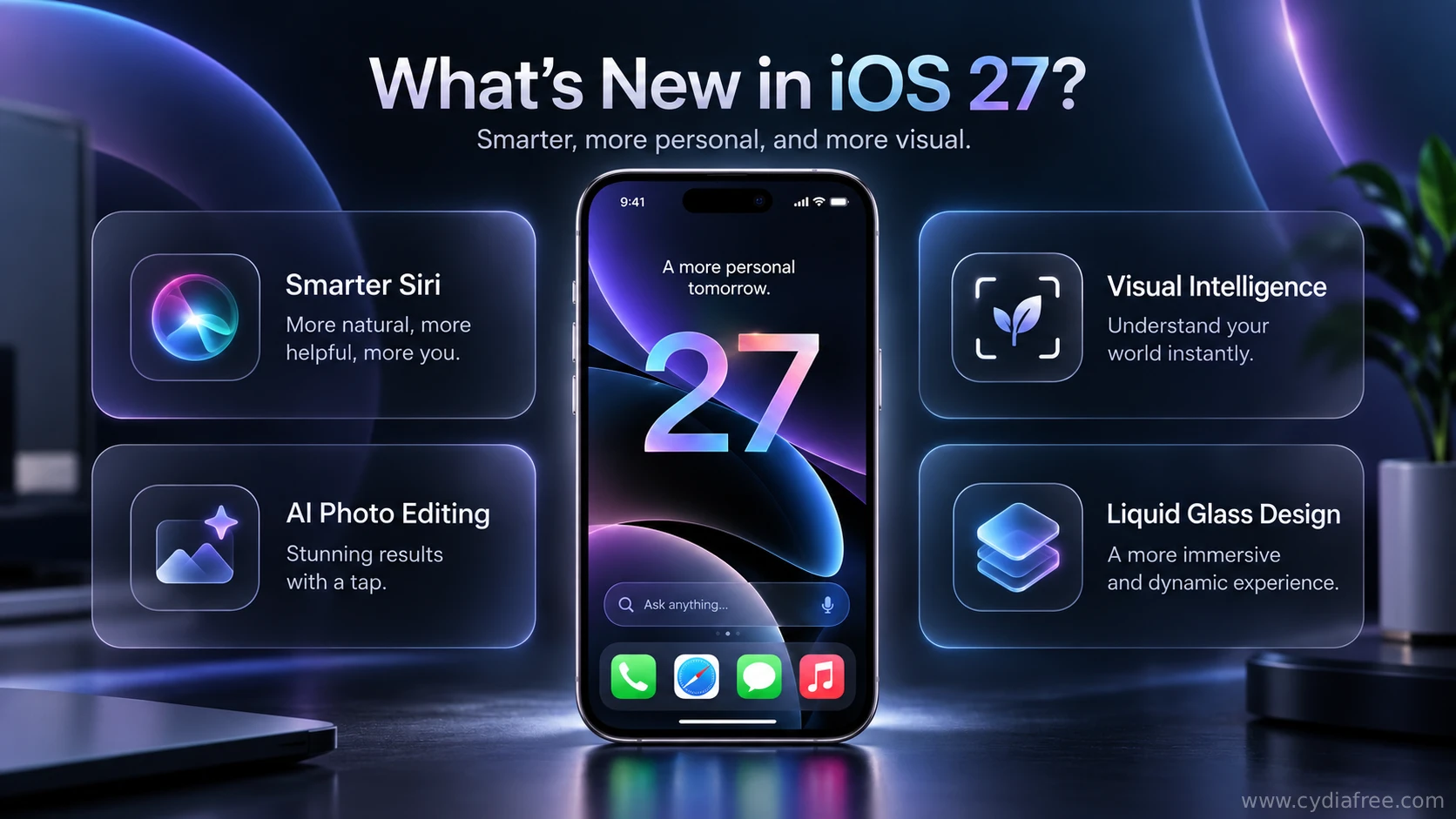
- Advanced Siri AI: Siri has become more natural and context-aware, allowing seamless text and voice interactions across supported devices.
- Visual Intelligence: A new Siri mode integrated directly into the Camera app for instant object recognition and visual search data retrieval.
- AI Photo Editing: Innovative tools like Spatial Reframing and advanced Clean Up allow users to professionally modify photos natively.
- Enhanced Privacy & Screen Time: Stronger child safety tools and better management of web access, contacts, and applications.
- System Refinements: Improved Liquid Glass rendering, faster app launch speeds, optimized memory management, and advanced AirDrop protocols.
Note: Hardware-intensive Apple Intelligence features are limited to modern chipsets and may not be available on all older devices supporting the iOS 27 update.
Cydia IPAs and Sideloading on iOS 27
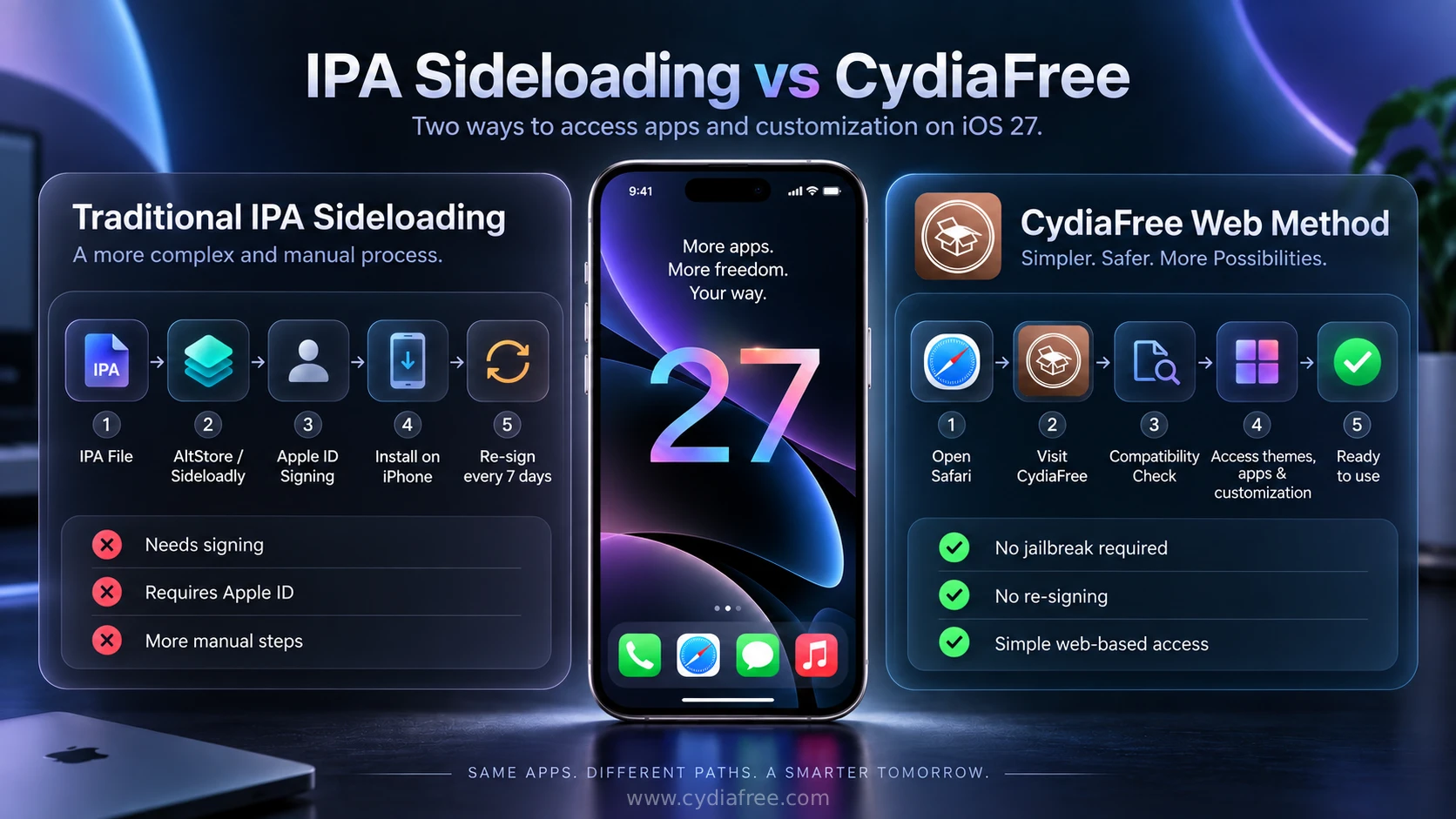
A major reason users search for iOS 27 jailbreaks is to install third-party applications that are unavailable in the official App Store. This process is commonly known as sideloading, which utilizes `.ipa` files (the standard format for iOS app archives).
Safe Sideloading Alternatives
If a full jailbreak is unavailable, IPA apps can still be installed using supported sideloading tools such as Sideloadly or AltStore. Apps signed with a free Apple developer account may need to be refreshed or re-signed periodically, commonly every seven days. CydiaFree's browser-based web app works differently from IPA sideloading because it runs as a web experience and therefore does not depend on the same IPA signing process.
If Sideloadly cannot detect your device, fails while signing an IPA, or a sideloaded app stops opening after several days, use our Sideloadly troubleshooting guide.
Before choosing a method, compare CydiaFree and other Cydia alternatives to understand the differences between browser-based customization, IPA sideloading and jailbreak package managers.
Device Compatibility for CydiaFree
CydiaFree can be accessed through Safari on devices compatible with iOS 27 and iPadOS 27. Apple continues to support a wide range of iPhones with iOS 27, from the iPhone 11 family and iPhone SE (2nd generation) onward through the newest iPhone models. Feature availability can vary by model, particularly for Apple Intelligence features.
Supported iPhones
- iPhone Duo
- iPhone 18 Pro Max and iPhone 18 Pro
- iPhone 17 Pro Max, iPhone 17 Pro, iPhone 17, iPhone 17e and iPhone Air
- iPhone 16 Pro Max, iPhone 16 Pro, iPhone 16 Plus, iPhone 16 and iPhone 16e
- iPhone 15 Pro Max, iPhone 15 Pro, iPhone 15 Plus and iPhone 15
- iPhone 14 Pro Max, iPhone 14 Pro, iPhone 14 Plus and iPhone 14
- iPhone 13 Pro Max, iPhone 13 Pro, iPhone 13 and iPhone 13 mini
- iPhone 12 Pro Max, iPhone 12 Pro, iPhone 12 and iPhone 12 mini
- iPhone 11 Pro Max, iPhone 11 Pro and iPhone 11
- iPhone SE (2nd generation and later)
Supported iPads (iPadOS 27)
- iPad Pro 12.9-inch (4th generation and later)
- iPad Pro 11-inch (2nd generation and later)
- Compatible newer iPad Pro models
- iPad Air (4th generation and later)
- iPad (9th generation and later)
- iPad mini (6th generation and later)
CydiaFree Premium & Safety Guidelines
For users who want a more complete customization experience, CydiaFree Premium offers exclusive access to hidden customization ideas, premium app collections, member-only tips, and curated iOS theme suggestions. It is designed to save you time and provide safer options compared to navigating unverified third-party repositories.
Essential Safety Tips Before Customizing
- Always Back Up: Create a full iCloud or Finder backup before applying any system modifications or firmware updates.
- Use Trusted Sources: Avoid downloading unknown configuration profiles or `.deb` files from random websites.
- Beware of Fake Tools: Beware of Fake Jailbreaks: Treat websites, profiles, videos, or paid downloads claiming an instant untethered iOS 27.0.1 jailbreak with caution unless the tool can be independently verified through reputable jailbreak or security-research sources. Experimental research for a specific device or firmware build does not automatically mean a stable public jailbreak exists.
Frequently Asked Questions (FAQs)
1. Is Cydia available for iOS 27.1?
Original Cydia requires a compatible jailbreak. The reviewed Dopamine and palera1n documentation does not list iOS 27.1 support. CydiaFree is a separate browser-based catalogue of customization resources and guides.
2. Is iOS 27.1 available for every iPhone?
No. As of October 25, 2026, Apple lists iOS 27.1 for iPhone Duo only. Other supported iPhones and iPads remain on iOS 27.0.1 and iPadOS 27.0.1 respectively.
3. Can I download Cydia iOS 27 without a computer?
Yes. With CydiaFree, you can start the installation directly through the Safari browser on your iPhone or iPad. You do not need a PC, Mac, or specialized cables.
4. What is Cydia IPA and can I sideload apps on iOS 27?
IPA files are application packages used for iPhone and iPad apps. On iOS 27, compatible IPA files can be installed using established sideloading tools such as Sideloadly or AltStore, subject to Apple's signing and device requirements.
5. Can I use CydiaFree on iPadOS 27?
Yes. CydiaFree is fully responsive and supports iPadOS 27 users on compatible iPad models, allowing you to explore specialized iPad themes, wallpapers, and add-ons.
6. Is CydiaFree the same as a full root jailbreak?
No. CydiaFree is a secure, browser-based Cydia-style platform. It operates within Apple's sandbox, meaning it does not break core security protocols. This helps users explore customizations without voiding their Apple warranty.
7. What changed in iOS 27.0.1?
iOS 27.0.1 is primarily a bug-fix update. Apple lists fixes for unexpected restarts related to failed Face ID authentication on iPhone 18 Pro models, certain 2x photo color artifacts, and a touchscreen issue involving Notification Center and Control Center. Apple currently lists no published CVE entries specifically for iOS 27.0.1.
8. Is CydiaFree free to use?
CydiaFree offers free access to its basic catalog of features, apps, and guides. Specialized tools, premium app collections, and priority support are available for upgraded premium members.
How to Install CydiaFree on iOS 27
Open CydiaFree in Safari on your compatible iPhone or iPad. This guide covers iOS 27.1 on iPhone Duo and iOS/iPadOS 27.0.1 on other supported devices. Follow the steps below to set up Home Screen access to the web app.
- Open the Safari browser on your iPhone or iPad running iOS 27.
- Tap the green download button below to launch the CydiaFree Web Installer.
- Wait for the automated device compatibility check to finish.
- Follow the on-screen prompts to add the CydiaFree app icon directly to your Home Screen.