Cydia Download & Jailbreak iOS 7
Relive the golden era of customization. Discover how to safely jailbreak legacy devices on iOS 7.1.2 using legendary tools like evasi0n7 and Pangu.
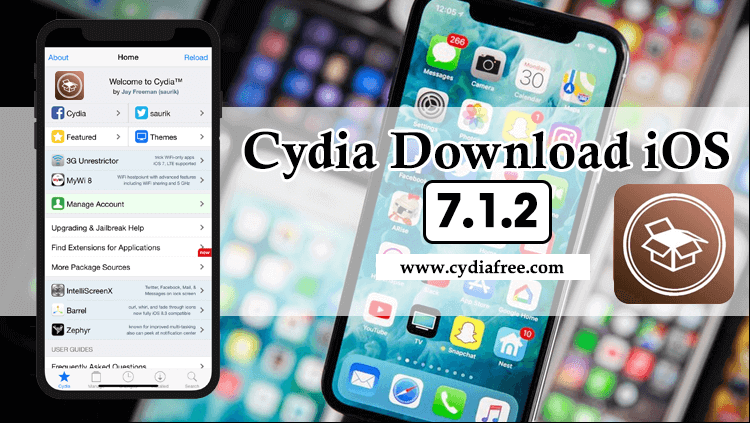
Current Jailbreak iOS 7 Status & Methods
iOS 7 marked a dramatic shift in Apple's design language, moving from skeuomorphism to a flat design. It also represents a legendary era in the jailbreak community. If you have an old device running any version of iOS 7, a full untethered jailbreak is available. This means you do not need to re-run an app every time you reboot your device.
| Supported iOS 7 Versions | Jailbreak Status / Tool |
|---|---|
| iOS 7.1 - 7.1.2 (Final) | Supported via Pangu (Untethered). |
| iOS 7.0 - 7.0.6 | Supported via evasi0n7 (Untethered). |
| All iOS 7.x Versions | Web-based tweaks. Recommended: CydiaFree Web App. |
Web-Based Customization via CydiaFree
If you prefer not to connect your legacy device to an older PC or Mac (which is often required for legacy jailbreak tools to function properly today), the CydiaFree online platform provides a reliable alternative. It allows you to access legacy repository listings, themes, and tweaks directly through your Safari browser.
Running a newer firmware? If your device was updated past iOS 7, please check our iOS 9 Guide or our iOS 10 Guide for the relevant legacy jailbreak tools.
The Legacy of iOS 7
Released in 2013, iOS 7 was the biggest change to iOS since the introduction of the original iPhone. Led by Jony Ive, it brought a completely new visual identity to Apple devices.
- Flat Design: A complete departure from realistic textures (like wood and leather), replacing them with flat graphics, translucent menus, and a brighter color palette.
- Control Center: For the first time, users could swipe up from the bottom of the screen to quickly access Wi-Fi, Bluetooth, airplane mode, and a flashlight.
- AirDrop: The introduction of seamless file sharing between Apple devices over Wi-Fi and Bluetooth.
- Touch ID Integration: Introduced alongside the iPhone 5s, iOS 7 integrated fingerprint security directly into the operating system.
Original Cydia & Legacy Tools
iOS 7 is deeply rooted in the "rootful" jailbreak era. This means that executing a successful jailbreak will install Jay Freeman's original Cydia application natively onto your Home Screen.
For iOS 7.1 to 7.1.2 (Pangu)
When Apple patched the evasi0n7 exploits in iOS 7.1, the Chinese team Pangu shocked the community by releasing an untethered jailbreak for iOS 7.1 through 7.1.2. This tool requires connecting your device to a PC or Mac via USB to execute the exploit.
For iOS 7.0 to 7.0.6 (evasi0n7)
If your device is running early versions of iOS 7, the evasi0n7 tool (developed by the evad3rs team) is the required software. Like Pangu, this is a fully untethered jailbreak that requires a computer connection for the initial installation.
Device Compatibility for iOS 7
It is crucial to verify your hardware. The iPhone 4 was the final major device to max out on the iOS 7.x branch (specifically ending on iOS 7.1.2). The verified supported devices during the iOS 7 era include:
Legacy Devices (Ended on iOS 7)
- iPhone 4 (Ended on iOS 7.1.2)
Devices that Supported iOS 7
- iPhone 4S, 5, 5c, 5s
- iPad 2, 3, 4, iPad Air
- iPad mini 1, 2
- iPod Touch (5th generation)
Frequently Asked Questions (FAQs)
1. Can I use modern tools like unc0ver on iOS 7?
No. Tools like unc0ver, checkra1n, or Phœnix were developed for much newer firmware versions. For iOS 7, you must use the legacy tools: Pangu or evasi0n7.
2. Is the iOS 7 jailbreak untethered?
Yes! Both Pangu (for 7.1.x) and evasi0n7 (for 7.0.x) are fully untethered jailbreaks. This means if you turn your device off and on again, your jailbreak and Cydia will still be fully active.
3. Do I need a computer to jailbreak iOS 7?
Yes. The legacy tools for iOS 7 require you to connect your iPhone or iPad to a Windows PC or Mac using a USB cable to run the initial jailbreak program.
4. Does installing CydiaFree void my warranty?
No. CydiaFree runs safely within the Safari browser sandbox. Because it does not modify restricted iOS system partitions like traditional jailbreaks do, it is completely safe.
How to Install CydiaFree on iOS 7
Follow these simple steps to install the web application on your device securely:
- Open the Safari browser on your iPhone or iPad running iOS 7.
- Tap the green download button below to launch the CydiaFree Web Installer.
- Wait for the automated device compatibility check to finish.
- Follow the on-screen prompts to add the CydiaFree app icon directly to your Home Screen.