Cydia Download & Jailbreak iOS 10
Discover the exact jailbreak tools required for your legacy device. From h3lix for 32-bit devices to Meridian for 64-bit hardware, learn how to safely unlock iOS 10.3.4.
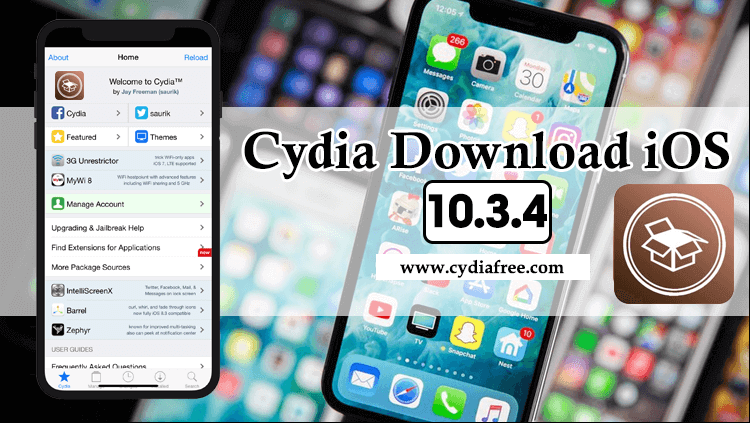
Current Jailbreak iOS 10 Status & Methods
Jailbreaking iOS 10 requires understanding whether your device is 32-bit or 64-bit. Because Apple officially dropped support for 32-bit architecture after iOS 10, the jailbreak tools are strictly segregated by hardware:
| Hardware / Architecture | Supported iOS 10 Versions | Jailbreak Status / Tool |
|---|---|---|
| 32-bit Devices (iPhone 5, 5c, iPad 4) | iOS 10.0 - 10.3.4 (Latest) | Supported via h3lix (Installs Cydia). |
| 64-bit Devices (iPhone 5s to 7 Plus) | iOS 10.0 - 10.3.3 | Supported via Meridian or doubleH3lix. |
| All iOS 10 Devices | All iOS 10.x Versions | Web-based tweaks. Recommended: CydiaFree Web App. |
Web-Based Customization via CydiaFree
If you prefer not to sideload IPA files using a PC (as tools like Cydia Impactor have largely become obsolete for free Apple IDs), the CydiaFree online platform provides a reliable alternative. It allows you to access legacy repository listings, themes, and tweaks directly through your Safari browser.
Running a newer firmware? If you have a 64-bit device that was updated past iOS 10, please check our iOS 12 Guide, iOS 15 Guide, or our latest iOS 18 Guide for modern jailbreak tools.
Why Was iOS 10.3.4 Released?
Long after the iOS 10 lifecycle ended, Apple released an emergency update on July 22, 2019. This update—iOS 10.3.4—was specifically rolled out to address a critical GPS time rollover issue.
- The GPS Bug: Without this update, affected legacy devices would suffer from malfunctioning location services, causing inaccurate GPS mapping and severe connectivity issues.
- Targeted Hardware: The iOS 10.3.4 update was strictly limited to cellular models of the iPhone 5 and iPad 4th generation.
- No UI Changes: The update included vital security patches to stabilize the system, but did not introduce any new visual features or user interface overhauls.
- Jailbreak Survival: Because the kernel remained largely the same, the existing 32-bit jailbreak tool (h3lix) was successfully updated to support iOS 10.3.4.
Original Cydia & The Right Tools
iOS 10 is deeply rooted in the "rootful" jailbreak era. This means that executing a successful jailbreak will install Jay Freeman's original Cydia application natively onto your Home Screen. You must pick the correct tool based on your device's bit-architecture.
For 32-Bit Devices (h3lix)
If you own an iPhone 5, iPhone 5c, or iPad 4th Gen, your device runs a 32-bit processor. The only reliable jailbreak for iOS 10.x up to 10.3.4 on these devices is h3lix by developer tihmstar. You will need to sideload the `.ipa` file using a modern utility like Sideloadly.
For 64-Bit Devices (Meridian & doubleH3lix)
If you own an iPhone 5s, iPhone 6, or iPhone 7, your device runs a 64-bit processor. For iOS 10.0 to 10.3.3, you have two primary options: Meridian or doubleH3lix. Additionally, the browser-based exploit totally-not.spyware provides an easy way to trigger the jailbreak without a computer.
Device Compatibility for iOS 10
It is crucial to verify your hardware before attempting to jailbreak. The following legacy devices maxed out on iOS 10 or were heavily used during the iOS 10 era:
32-Bit Devices (iOS 10.3.4 / 10.3.3)
- iPhone 5 (Ended on iOS 10.3.4)
- iPad (4th generation) Cellular (Ended on iOS 10.3.4)
- iPhone 5c (Ended on iOS 10.3.3)
64-Bit Devices (Downgraded or Legacy)
- iPhone 5s, SE (1st gen)
- iPhone 6, 6 Plus
- iPhone 6s, 6s Plus
- iPhone 7, 7 Plus
- iPad Air, iPad mini 2, 3, 4
- iPod Touch (6th generation)
Frequently Asked Questions (FAQs)
1. Can I use unc0ver or Electra on iOS 10?
No. Tools like unc0ver and Electra were specifically developed for iOS 11 and later. Using them on iOS 10 will not work. You must use h3lix, doubleH3lix, or Meridian.
2. Why does my Cydia Impactor not work anymore?
Cydia Impactor requires a paid Apple Developer account to function properly due to server-side changes made by Apple years ago. For free sideloading, you must use modern alternatives like Sideloadly to install the h3lix IPA.
3. Do I lose my jailbreak if I turn off my phone?
Yes. The jailbreaks for iOS 10.3.x are semi-untethered. This means if your battery dies or you reboot your iPhone, Cydia will crash upon opening. You simply need to re-open the h3lix or Meridian app and tap "Kickstart" to reactivate the jailbreak.
4. Does installing CydiaFree void my warranty?
No. CydiaFree runs safely within the Safari browser sandbox. Because it does not modify restricted iOS system partitions, your Apple warranty remains completely intact.
How to Install CydiaFree on iOS 10
Follow these simple steps to install the web application on your device securely:
- Open the Safari browser on your iPhone or iPad running iOS 10.
- Tap the green download button below to launch the CydiaFree Web Installer.
- Wait for the automated device compatibility check to finish.
- Follow the on-screen prompts to add the CydiaFree app icon directly to your Home Screen.