Cydia Download & Jailbreak iOS 13
iOS 13 represents a golden era for jailbreaking. Discover how to install original Cydia or Sileo using verified tools like Unc0ver, Odyssey, and checkra1n up to iOS 13.7.
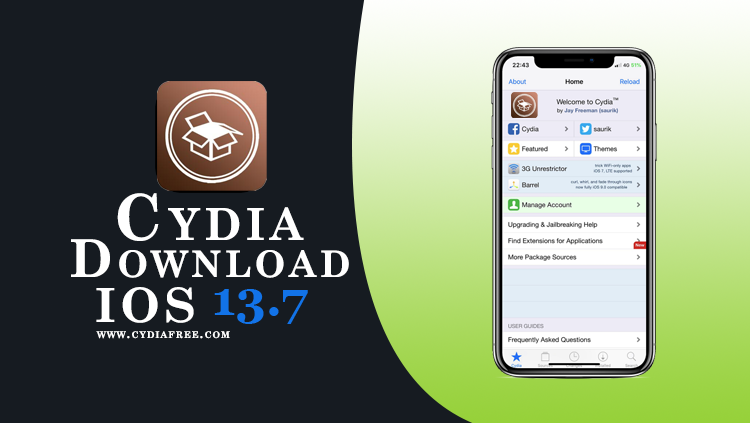
Current Jailbreak iOS 13 Status & Methods
The iOS 13 firmware branch is fully jailbreakable across all compatible devices. This branch supports "rootful" jailbreaks, allowing you to install classic Cydia or modern package managers natively. Depending on your hardware and specific iOS 13 version, there are several highly stable tools available:
| Hardware / Chipset | Supported iOS 13 Versions | Jailbreak Status / Tool |
|---|---|---|
| A12 - A13 (iPhone XS to 11) | iOS 13.0 - 13.5 | Supported via Unc0ver (Installs Cydia). |
| A12 - A13 (iPhone XS to 11) | iOS 13.0 - 13.7 | Supported via Odyssey (Installs Sileo). |
| A8 - A11 (iPhone 6s to X) | All iOS 13.x (Up to 13.7) | Permanent support via checkra1n (via PC/Mac). |
Web-Based Customization for Non-Jailbroken Devices
If you prefer not to modify your device's core system files or deal with app revokes, the CydiaFree online platform provides a safe environment. It allows you to access repository listings, themes, and tweaks directly through your Safari browser without voiding your Apple warranty.
Did you upgrade your device? If you have updated your device to a newer firmware branch, please check our iOS 14 Guide or our iOS 15 Guide for the relevant jailbreak tools.
What's New in iOS 13?
Released in 2019 alongside the iPhone 11 series, iOS 13 brought long-awaited, highly requested visual features and major performance optimizations to the Apple ecosystem:
- Dark Mode: A dramatic new look for iOS that is easy on the eyes and seamlessly integrated across system apps and third-party software.
- QuickPath Keyboard: The native ability to swipe to type on the default iOS keyboard, making one-handed typing much faster.
- Photos Overhaul: A completely redesigned Photos app that uses machine learning to curate your best moments by day, month, or year.
- Sign in with Apple: A secure, private way to sign into apps and websites without giving away your personal email address.
- Apple Maps Redesign: Rebuilt from the ground up to offer more realistic details, 3D street views, and precise addresses.
- Performance Boosts: Apps launch up to 2x faster, and Face ID unlocks up to 30% faster compared to iOS 12.
Original Cydia vs. Sileo on iOS 13
Because iOS 13 retains a rootful architecture, you have the choice of package managers depending on the jailbreak tool you select.
For a broader explanation of Cydia-based methods and other package managers, read our Cydia jailbreak guide. Match the selected tool to your exact device and firmware before following its installation instructions.
Unc0ver & checkra1n (Cydia)
If you use Unc0ver or checkra1n, the classic Cydia package manager created by Jay Freeman (Saurik) will be installed by default. This gives you maximum compatibility with older, legacy `.deb` packages that haven't been updated in years.
Odyssey (Sileo)
If you choose to use the Odyssey jailbreak, it natively installs Sileo. Sileo is a modern, fast, and swift-based package manager that refreshes repositories in seconds. Odyssey also utilizes the Procursus bootstrap, which provides a more modern underlying foundation for developers.
Device Compatibility for iOS 13
It is crucial to verify your hardware. Apple officially dropped support for the iPhone 5s, iPhone 6, and iPhone 6 Plus with the release of iOS 13. Additionally, newer devices like the iPhone 12 and 13 launched with later iOS versions. The verified supported devices for the iOS 13 branch are:
Supported iPhones
- iPhone 11, 11 Pro, 11 Pro Max
- iPhone XS, XS Max, XR
- iPhone X, iPhone 8, 8 Plus (checkra1n supported)
- iPhone 7, 7 Plus (checkra1n supported)
- iPhone 6s, 6s Plus (checkra1n supported)
- iPhone SE (1st & 2nd generation)
Supported iPads & iPods
- iPad Pro 12.9-inch (1st to 4th gen)
- iPad Pro 9.7, 10.5 & 11-inch (1st/2nd gen)
- iPad Air (3rd gen)
- iPad Air 2
- iPad (5th, 6th & 7th gen)
- iPad mini (4th & 5th gen)
- iPod Touch (7th generation)
Frequently Asked Questions (FAQs)
1. Can I use the original Cydia app on iOS 13?
Yes! If you jailbreak using Unc0ver or checkra1n, the original Cydia package manager will be installed natively on your device.
2. Can I jailbreak iOS 13.7 on an iPhone 11?
Yes. The Odyssey jailbreak officially supports all A12 and A13 devices (like the iPhone 11) up to iOS 13.7. Unc0ver only supports up to 13.5 for these devices.
3. Does checkra1n require a computer?
Yes. Checkra1n is a semi-tethered, hardware-based jailbreak. You must connect your iPhone (6s to X) to a Mac or Linux computer to execute the exploit. If your device restarts, you must reconnect it to the computer to reactivate the jailbreak.
4. Does installing CydiaFree void my warranty?
No. CydiaFree runs safely within the Safari browser sandbox. Because it does not modify restricted iOS system partitions like Unc0ver or checkra1n do, your Apple warranty remains completely intact.
How to Install CydiaFree on iOS 13
Follow these simple steps to install the web application on your device securely:
- Open the Safari browser on your iPhone or iPad running iOS 13.
- Tap the green download button below to launch the CydiaFree Web Installer.
- Wait for the automated device compatibility check to finish.
- Follow the on-screen prompts to add the CydiaFree app icon directly to your Home Screen.